Interactive Whiteboards
Whiteboards are changing the way we teach and learn
Interactive Whiteboards make it easy for teachers to enhance presentations by easily integrating and annotating pictures, graphsand other documents into a lesson.
 |
Interactive Whiteboards help pupils to absorb information
more easily.They make directed whole class interation possible and bring learners
together to work collaboratively
around a shared task.
SMART Boards and Other interactive white board software allow you to capture
whatever you have been writing as a screen shot that you can edit, or save
your notes directly into Word, PowerPoint and Excel.
Using Interactive whiteboards
Getting the most from your interactive whiteboard is an important skill for a teacher, and one that brings great rewards. When you are fully conversant with interactive whiteboards and how to integrate them most effectively into a lesson then you will have freed yourself to reengage with your pupils.
There are a number of good books written by teachers and other Education Professionals on How to Use an Interactive Whiteboard Really Effectively in Your Primary or Secondary Classroom.
 Which
Interactive Whiteboard?
Which
Interactive Whiteboard?
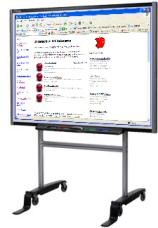
Popular interactive whiteboards include the SMART Board 600 series interactive whiteboard allows users to write, erase and perform mouse functions with a finger or a marker pen.
Whiteboard Software
There are many good examples of software that can be used with the interactive
whiteboards. Black Cat Software titles are particularly impressive for teaching
primary literacy and numeracy with a whiteboard.
Whiteboard software makers such as Boardworks produce engaging, dynamic,
interactive teaching resources specially designed to work with a whiteboard.
Programs such as Literacy Activity Builder from Granada Learning allows teachers
to easily create their own software to use with whiteboards.
